Hello and welcome to Hong Kong Zhifu Technology Co., Ltd!
Hello and welcome to Hong Kong Zhifu Technology Co., Ltd!

Hong Kong Zhifu Technology Co., Ltd
Customer service hours:9:00-18:00


Newbie Tutorial
Time:2026-01-29 16:41:53

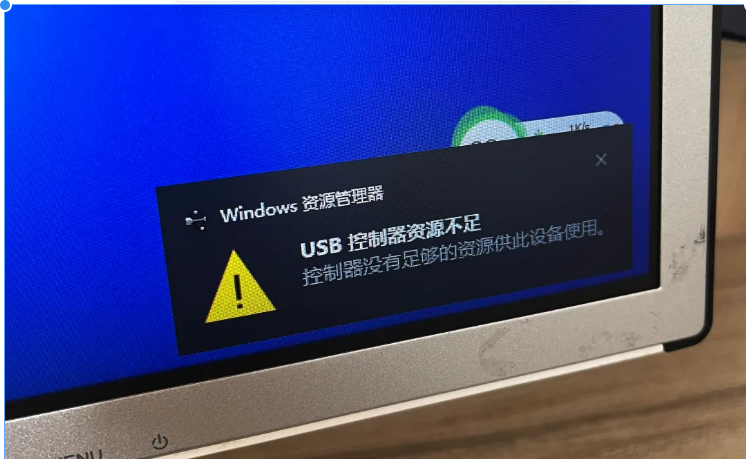
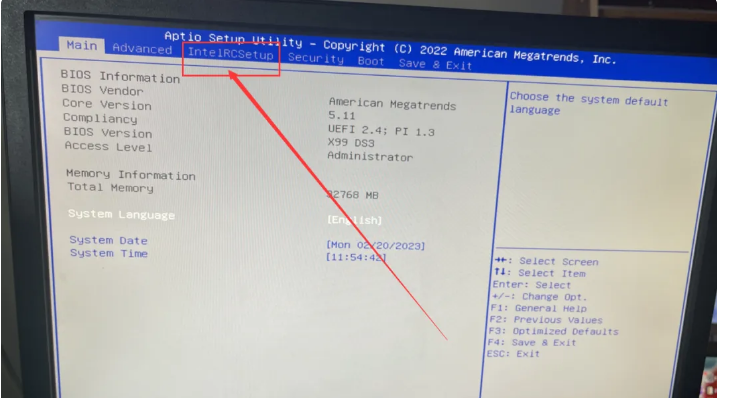
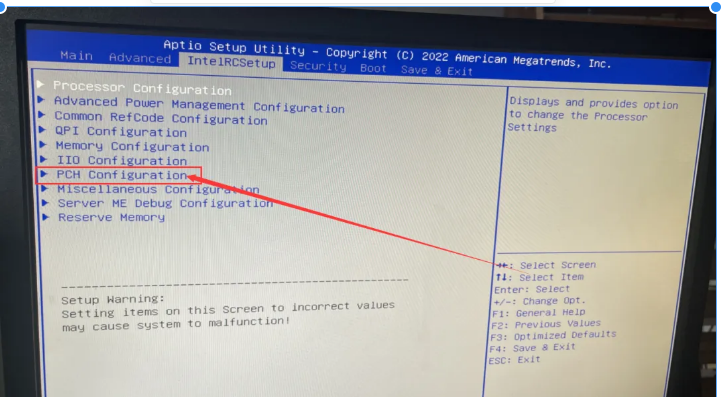
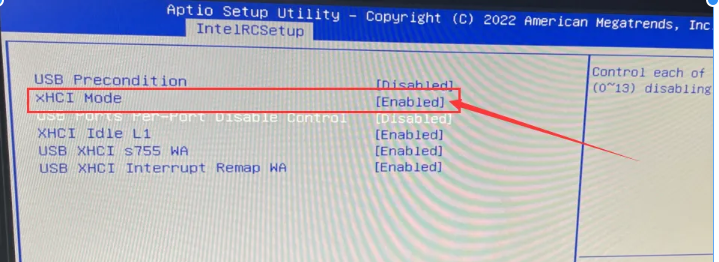
Phone:18315978888
Wechat:aoxurihua1
Email:zhifukeji11@gmail.com

WAHTSAPP

TELEGERAM
Copyright © 2026 Hong Kong Zhifu Technology Co., Ltd All Rights Reserved.
Copyright © 2026 Hong Kong Zhifu Technology Co., Ltd All Rights Reserved.