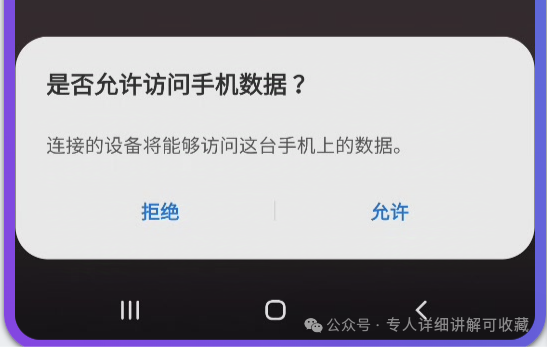
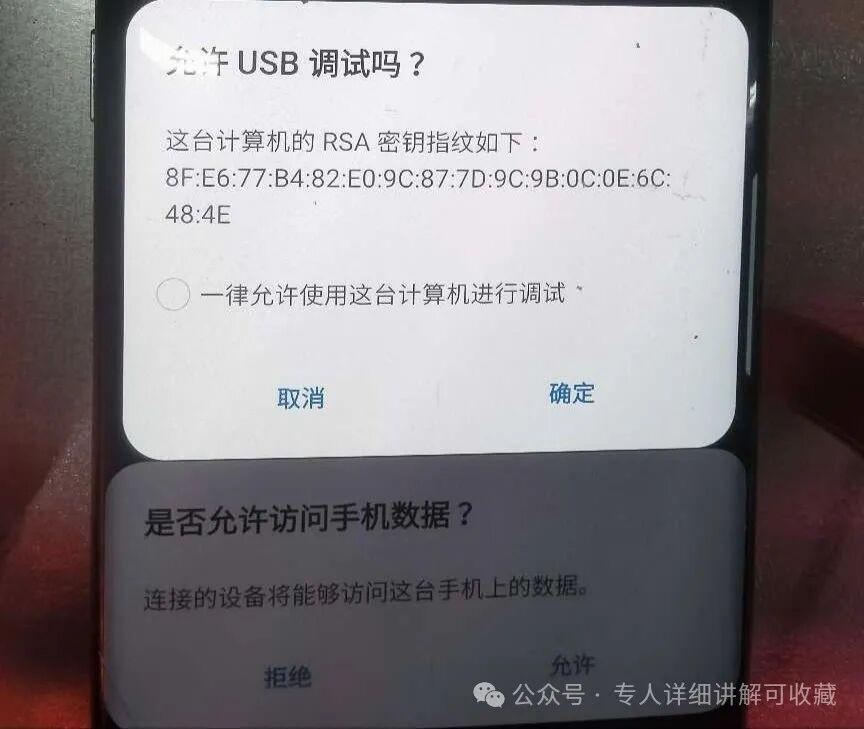
Check "Always allow" and confirm. Under no circumstances should you click "Deny"
If you accidentally click "Reject", which leads to the closure of USB debugging on your phone, you need to unlock the phone screen to enable USB
② The screen mirroring is not displayed on the computer
You need to close the screen mirroring software. Right-click on the computer's task manager, find all abb.exe processes in the processes list, and close them. Then, reopen the screen mirroring software, and it should work normally.
③ Fewer devices, such as displaying only 15 devices, are 5 fewer
If the computer and the motherboard are properly connected, a faulty phone can be identified by the absence of light on the external indicator light of the chassis (it may be loose. Open the chassis cover, unplug and then plug it securely)
④ All external lights of the chassis are on
When the number of screen casts is less than 20, the screen cast software page displays "Unauthorized" but "Connected". Requesting an authorization code from the merchant may also result in authorization failure, requiring the screen to be connected and USB to be turned on
⑤ Enter password, phone screen goes black
Manually disable input protection: Phone system settings ---- Input method settings ---- Secure keyboard/secure input 2. Manually disable payment protection: Phone system settings ---- Payment protection
⑥ Prompt for ADB conflict
Solution 1: Find the adb.exe process in the task manager and end all instances. Alternatively, restart the computer. Solution 2: Check if the following software is installed on your computer: similar software | phone assistant | Android emulator | Kugou Music | 2345 series | 360 Security Guard. It is recommended to uninstall these software as they may easily cause conflicts.
⑦ USB resource shortage
1. Some computers do not support the change
2. Change to a different USB port
3. Ensure that the system is Windows 10 Professional or Enterprise edition and keep the drivers up to date
4. After the dual cutting process on the first set of machines is completed, you can unplug the USB and then connect it to the second set of machines for dual cutting (Note: the USB has no relation to the dual cutting process)
⑧ Mobile phone window frequently goes offline
1. Check if the board is loose. You can unplug and re-plug the board
2. There is residual power in the charging port, so it is necessary to unplug the board and re-insert it
3. Check if the fan is rotating, as overheating of the board may cause it
4. Due to issues with some scripts, it is necessary to replace them with other scripts
5. The CPU on the board is heating up, and a new board needs to be replaced
6. Check whether there is poor contact at any of the interfaces
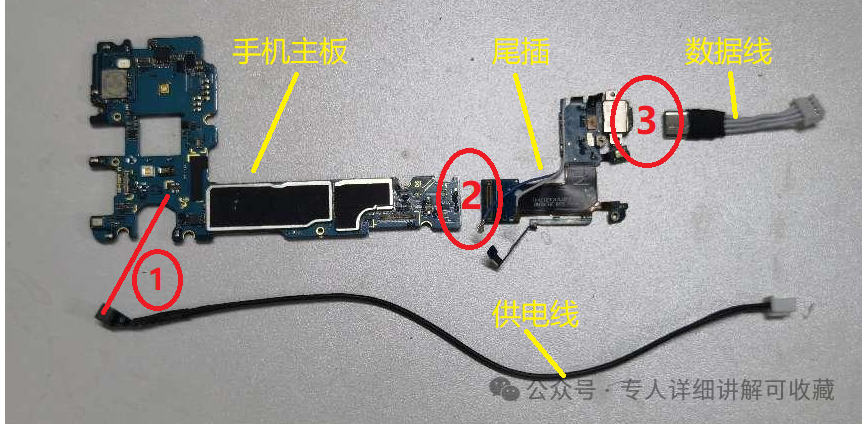
7. The following image requires the mainboard power to be turned off for maintenance
Single boards for various machine models
Connecting the red part will cause a malfunction. Remove it, re-insert, and press it firmly